HTML form uses the form element
actionattribute determines how the information will be processed
Forms have an input box using input which user can input text, radio button or submit
<form> <input type="text"> </form>To match a label to an input, the for attribute of a label must match the id of the input
<label for="email">Email</label> <!-- for="email" -->
<input type="email" name="email" id="email"> <!-- id="email"-->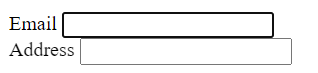
When it’s matched, when clicking the corresponding label, the input will be highlighted.
Forms contains a submit button, when a user presses enter, that button is clicked and all the form is submitted.
<button type="submit">Submit</button>- for a form to be submit button, the
type="submit"is included as an attribute
Type
The complete type of input can be found https://developer.mozilla.org/en-US/docs/Web/HTML/Element/input#input_types
Here are the commonly used input types
Email - validate real email before submitting

Number - only numbers can be entered, like tel, on some devices a numeric keyboard appear

Password - the text content is obscured, also bring up the password manager

Datetime-local - browser will display and date-time selector

File - show and file picker menu
Reset - a button that clear all the information of the form to default value
Radio - select only one button in a fieldset
  <fieldset>
    <legend>Choose one</legend>
    <input id="one" type="radio" name="choose">
    <label for="one">One</label><br>
    <input id="two" type="radio" name="choose">
    <label for="two">Two</label>
</fieldset>- All the options are enclosed with
fieldset, the title of selection is defined bylegend - all the options in the fieldset must have matching
nameso a unique choice can be selected

Checkbox - similar to radio but type=radio, can select multiple
Dropdown list - select one or more from a list of items
<select id="choose" name="choose">
  <option value="one">One</option>
  <option value="two">Two</option>
</select>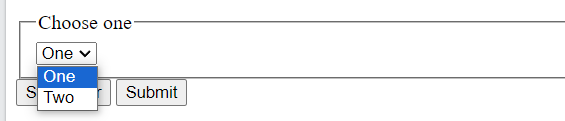
- when the select has attribute
multple, multiple items can be selected via Ctrl - select can also have the attribute
sizewhich determine how many items to show in that dropdown list
Datalist - text input box with a list of pre-defined options to choose.
  <input list="browsers" name="browser">
  <datalist id="browsers">
    <option value="Edge">
</datalist>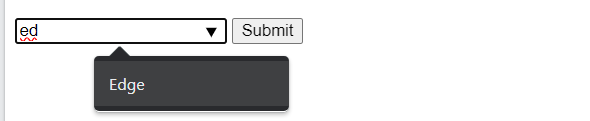
- datalist uses
listandidfor matching
Input Attributes
Full list is https://developer.mozilla.org/en-US/docs/Web/HTML/Element/input#attributes
Here are some common ones
Placeholder
<input placeholder="12345 St" type="name" name="" id="address">
Using the placeholder attribute, the form will have suggested text when the user enters anything, the placeholder text will disappear.
Value
<input value="12345 St" type="name" name="" id="address">
The value attribute will pre-populate the field for an user rather than giving suggestions.
Size
<input size="20">Changes how long the input field is.
Minmax/step
<input min="123" max="1980-12-11" maxlength="10" step="3">- min max defines the range of value that can be input (can also be date, week etc.)
- maxlength defines the number of characters in a box
- step is intervals allowed, in this case only multiple of 3 are okay
Pattern
regular expression code that validate against a input
Required
<input type="text" required>
Checked
When the page load, the checkbox or radio will be checked by default
Autofocus
When the page load, the focus goes to that input box.
Form Attributes
Autocomplete
<form action="" autocomplete="on"></form>With autocomplete on, the form will autofill based on what the user entered before.
Readonly
<input readonly value="can't change">The input will have the pre-defined value and can’t be changed.
Disabled
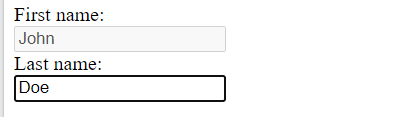
Similar to readonly, but also makes it unclickable.