Reset
git reset 'hash' reset the head to a previous commit
- nothing is done to the code yet, unless using git restore --staged && git restore
- if accidently reset, use git reset 'HEAD@{1}' to revert the progress to the previous git change
Revert to old
git checkout old_branch $commit_hash- this will create a new branch that is only the old commit history
Revert back
git checkout master
git branch -D old_branch- resume back at master and delete the created branch
Interactive Rebase
Rebasing already pushed commit require a forced push.
git rebase -i HEAD~3 or <hash>- this will select to up to the third commit from history of commits
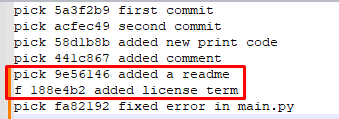
The commit message are shown from earliest to latest (different from git log)
Change Commit Message
use reword on the commit
Do not change the commit message, do so after marking the commit for reword then change it
Combine 2 Commits Into 1
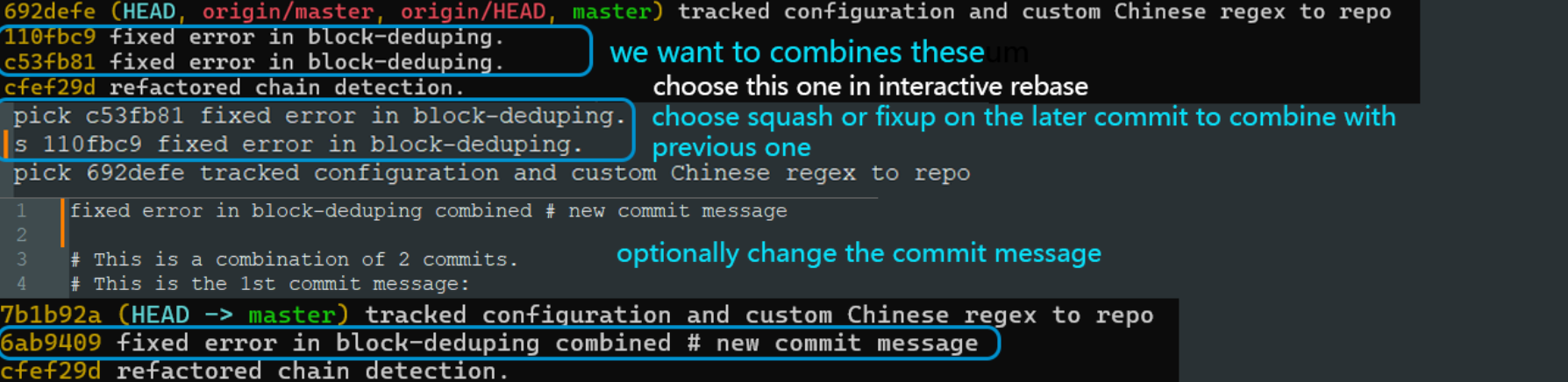
Identify the commits to be merged, then pick the one below it
- if the earliest commit is 4th on the list of commits, choose
HEAD~5
Using squash on the later commit to combine with the previous one (top one on interactive rebase)
There will be option to choose a new commit message.
The commit hash is changed after rebase.
- squash, take the current commit and combine it with previous commit
- fixup, like squash, combine the commit but not use the commit message
Cherry Pick
git checkout master
git cherry-pick <hash-of-new-branch>
Make sure git is on the current branch (not the new one that contains the commit to be picked)
Branches
use git switch -c or git checkout -b
- now we can work on the features of new branch
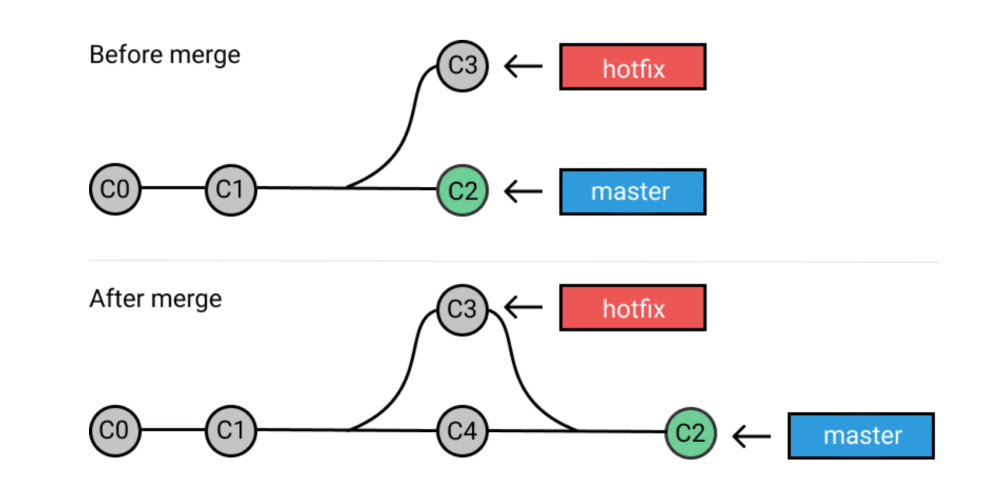
Once the feature is done, to merge it with master
git switch master
git merge <branch-name>
- delete the branch
git branch -d <name>
Merge Conflicts
It can happen when two people are working on the different feature but both are changing the same file causing a conflict.
- in a new branch I added some codes
- then in the main branch I added some conflicting code
- upon
git merge newfeature, the merge failed due to conflicts
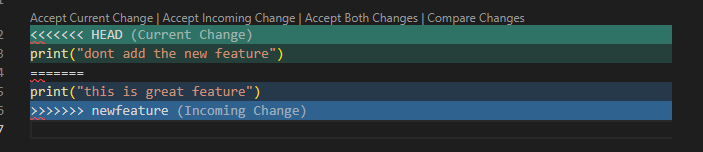
- there is option to accept current, incoming, ignore both or accept combination
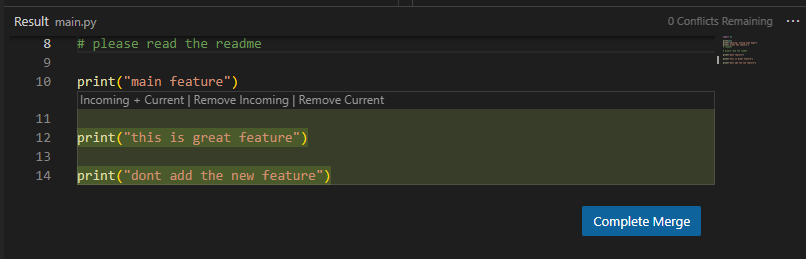

this is an example of accept combination
Stash - quickly save the unstaged changed to a stash to add for later
git stashto create a stashgit stash listgit stash apply 0to apply the stash to the current code
Reflog
git reflogThe reflog contains list of git histories.
Suppose commits/branches are deleted, it can be restored via reflog
- the log will bring up all the actions in a git repo
Pick the commit hash before the mess up and either reset or create a new branch.
git reset <hash>
git branch new <hash>